

Short answer: Two HubSpot reports show different numbers when they count deals in different ways. Check the date field, the pipelines, and the extra filters. Then write the rule in one plain line in the report description so the next person sees it.
Two dashboards. Two different numbers for Q4 closed won. Then the meeting turns into a fight over whose report is right.
I have sat in that room more times than I can count. One person trusts their board and the other trusts their chart, and both look sure of themselves while the clock keeps ticking and nobody talks about the real work.
Here is the truth: most of the time the math is fine, and the two reports just count deals in different ways. Once you see that, the fight ends fast.
I shared a short version of this check on LinkedIn. Here is the full walk-through, plus how to lock the rule into HubSpot so the same fight does not come back next week.

Why do two HubSpot reports show different numbers?
Because "closed won this quarter" can mean more than one thing.
One report may count by close date. The other may count by create date. One may look at every pipeline. The other may look at only the sales pipeline. One may have a filter someone added in June and forgot about.
None of those is "wrong." They are just different rules. If two people use two rules and never say them out loud, you get two numbers, and then you get a fight.
What should I check first when two reports disagree?
Before you rebuild anything, open both reports side by side. Check three things.
1. Which date does it use?
This is the big one, so ask a clear question: does this report use close date, create date, or last activity date?
"Closed won this quarter" almost always needs close date. A report that uses create date will pull in deals that were opened this quarter, even if they closed last year or next year.
"This quarter" and "last 90 days" also sound alike, but they are not the same. One follows your calendar, and the other rolls forward every day.
2. Which pipelines does it include?
Many teams have more than one deal pipeline: sales, renewals, partners, and even a sandbox or demo pipeline.
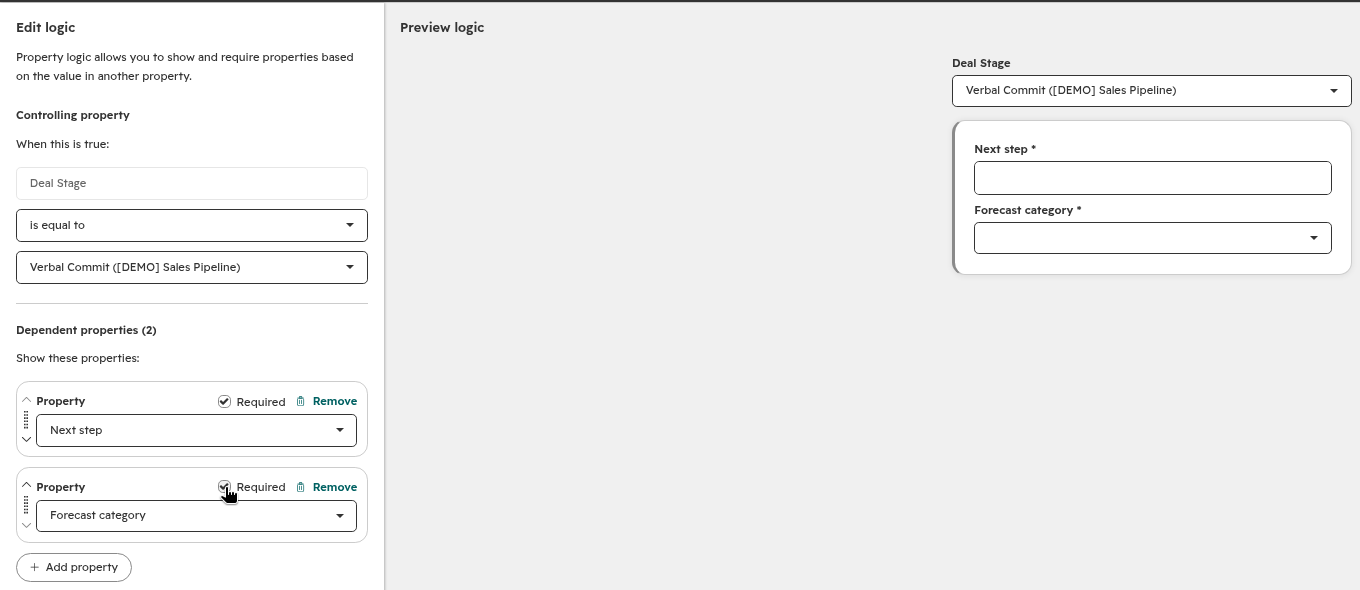
If one report includes every pipeline and the other includes only sales, the totals will never match. In my demo data, I keep a [DEMO] Sales Pipeline so I can test filters without mixing in real deals. Your reports should be just as clear about which pipelines count.
3. Are there leftover filters?
Open the report editor. Look for filters you did not expect. Owner. Deal stage. Amount. Region. A saved view from months ago.
One tiny filter can cut a big chunk of deals, and it is easy to miss when you are late to the forecast call.
In the screenshot above, the deals view is filtered to one pipeline and "Close date is This quarter." That is the kind of rule you want to see written down, not buried in a leftover filter.
How do I write the one-line fix?
Once you know the rule, write it in one plain sentence and put that sentence in the report description.
Examples:
- "Closed won means close date in this quarter, sales pipeline only."
- "Pipeline created means create date in this quarter, all sales pipelines, open and closed."
- "Win rate means closed won deals divided by closed won plus closed lost, sales pipeline, close date in the last 90 days."
Keep it short, use words your team already uses, and skip the jargon.
Now the next person who opens the report sees the rule before they argue about the number, and that one line saves a lot of meetings.
What else can throw off HubSpot report totals?
After the three checks above, look at these four.
Associations. A deal tied to two companies can show up twice in some company reports. A ticket tied to two deals can do the same. If a total looks too high, check how the report counts associations.
Owner today vs owner then. One report may use who owns the deal now. Another may use who owned it when it closed. That matters when deals change hands mid-quarter.
Time range labels. "This month," "last 30 days," and "this quarter" are not the same window. Pick one and stick to it for the metric you care about.
Stage names. "Verbal Commit" in one pipeline may not mean the same thing as "Commit" in another. If you mix pipelines, mix stage meanings too.
Can HubSpot AI help me check a report?
Yes, after you write the one-line rule.
Open the report and ask Breeze, HubSpot's built-in AI, to tell you which date field and filters the report uses. Then compare that answer to your one-line rule in the description.
If they match, you are good. If they do not, fix the report or fix the line before the meeting starts.
One warning: do not let AI invent a new definition for you in a live meeting. Use it to read what is already there. You still own the glossary, so clean rules come first, then AI.
How do I keep this from happening every week?
Do these three small things once, then reuse them every week.
Step 1: Make a short metric glossary. One page is enough. For each key number (closed won, pipeline created, win rate), write the date field, the pipelines, the filters, and who owns the definition.
Step 2: Paste the one-line rule into every report description. Do it for the five reports your team opens most. That is usually enough.
Step 3: Start forecast meetings with the glossary, not the charts. Read the line out loud. "Today we are looking at closed won by close date, sales pipeline only." Then open the report that matches that line. No second chart until that one is clear.
If someone brings a different number, ask which rule they used. Most of the time, you will find a date or filter mismatch in under a minute.
FAQ
Why do my HubSpot dashboards disagree?
Most of the time they use different date fields, pipelines, or leftover filters. The math is fine. The rules are not the same.
Should I rebuild the report when numbers do not match?
Not first. Check the three things above. Rebuild only if the report is wrong for the rule you want.
Where should I put the one-line rule?
In the report description in HubSpot. That is the place people look when they open the report.
Who should own the metric glossary?
One person. Often RevOps or the sales ops lead. Everyone else can suggest changes, but one name owns the final line.
Can I use the same rule across sales and marketing reports?
Yes for shared metrics like closed won. If marketing needs a different cut, give that cut its own name and its own one-line rule. Do not reuse "closed won" for two different definitions.
The bottom line
Two reports that disagree are rarely a math problem. They are a wording problem.
Check the date. Check the pipelines. Check the filters. Write the rule in one plain line. Put that line where people can see it.
Try it on the two reports your team argued about last week, and you will end the next fight a lot faster.
If you want more simple sales and HubSpot checks like this one, I write about them in Fractional Insights, my free newsletter. And if your reps struggle when buyers push back, grab my free Objection Wheel guide.